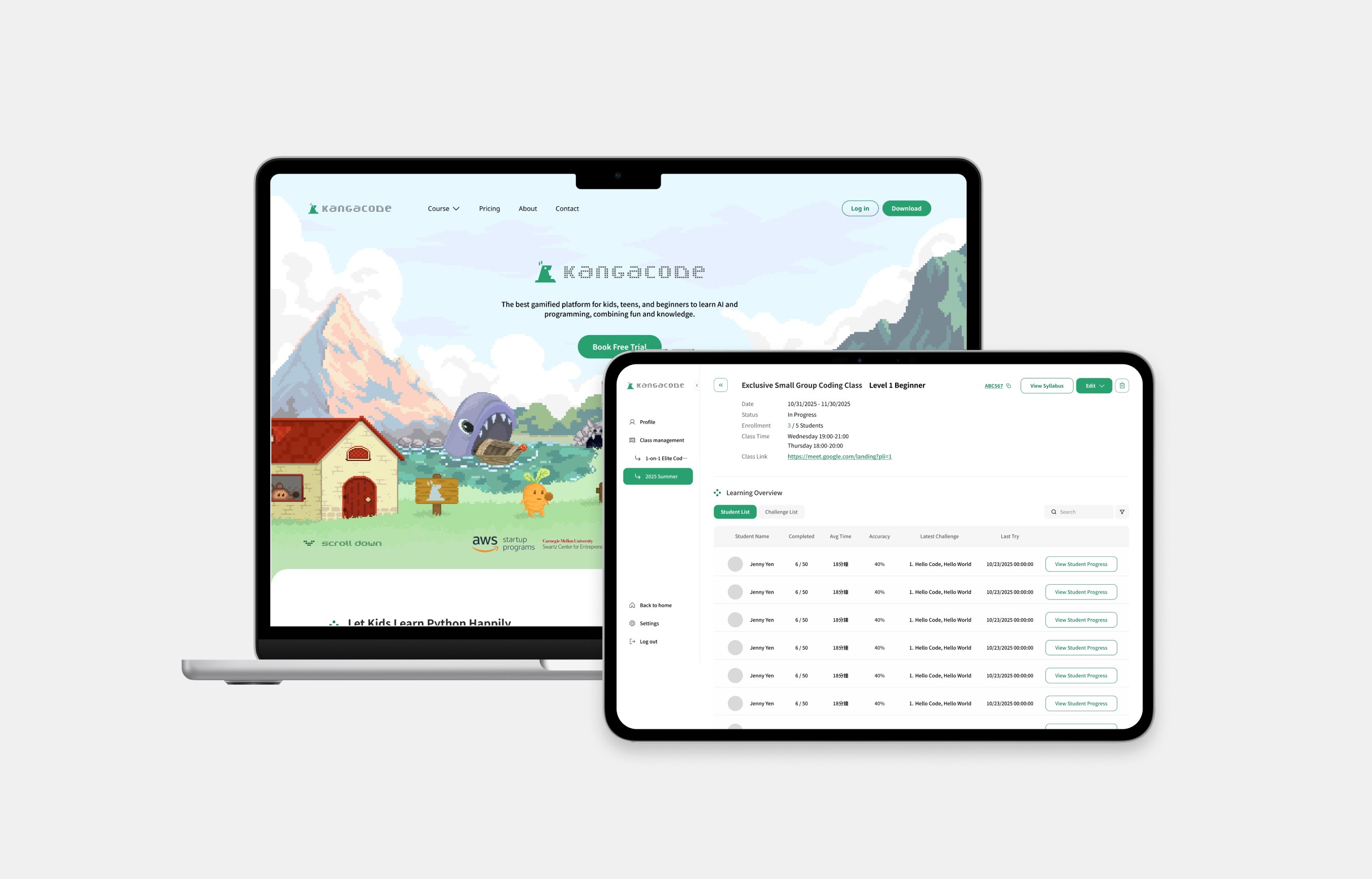

KangaCode is an educational game designed to teach children and beginners Python programming. As the sole product designer at the company, I led the redesign of the brand guidelines, revamped the marketing website, and built a teaching and class management system from 0 to 1.
Product Design, Brand Design /

/ Jun. 2025 - Jan. 2026, 8 months
ஐ
Marketing Website
The first touchpoint that communicates the product's value and guides users from discovery to signup. Focused on conversion — from landing page to booking a free trial.
Rebranding
Information Architecture
Landing Page
Management System
The core product experience designed to support admins, teachers, and students through clear, role-based workflows. Built around two distinct user roles, each with tailored information hierarchies.
Design from Ambiguity
Role-based System
Dashboard Design
Marketing Website
01
✷ Original Website

✷ Tasks & Business Goals
Redesign the Brand Visual
Redesign the brand's visual system to craft a cohesive and compelling identity that connects with our target audience.
Enhance Content and Interaction
Add more details and interactive elements to the landing page to keep users exploring and lower the bounce rate.
Optimize the Conversion Path
Redesign the layout based on data to increase page views and boost clicks on the "Book Free Trial" button.
✷ Reshape Brand Personality and Visual System
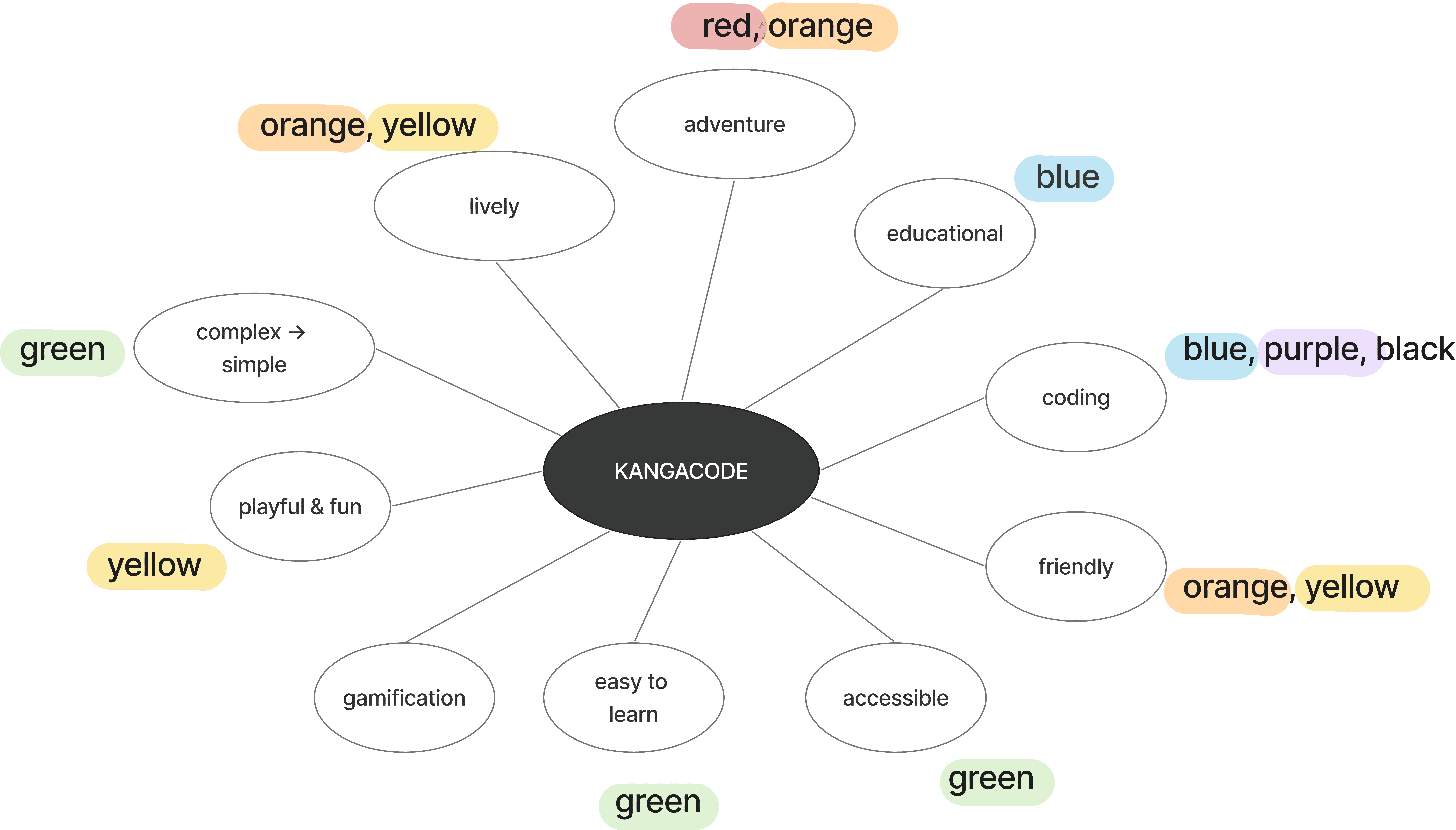
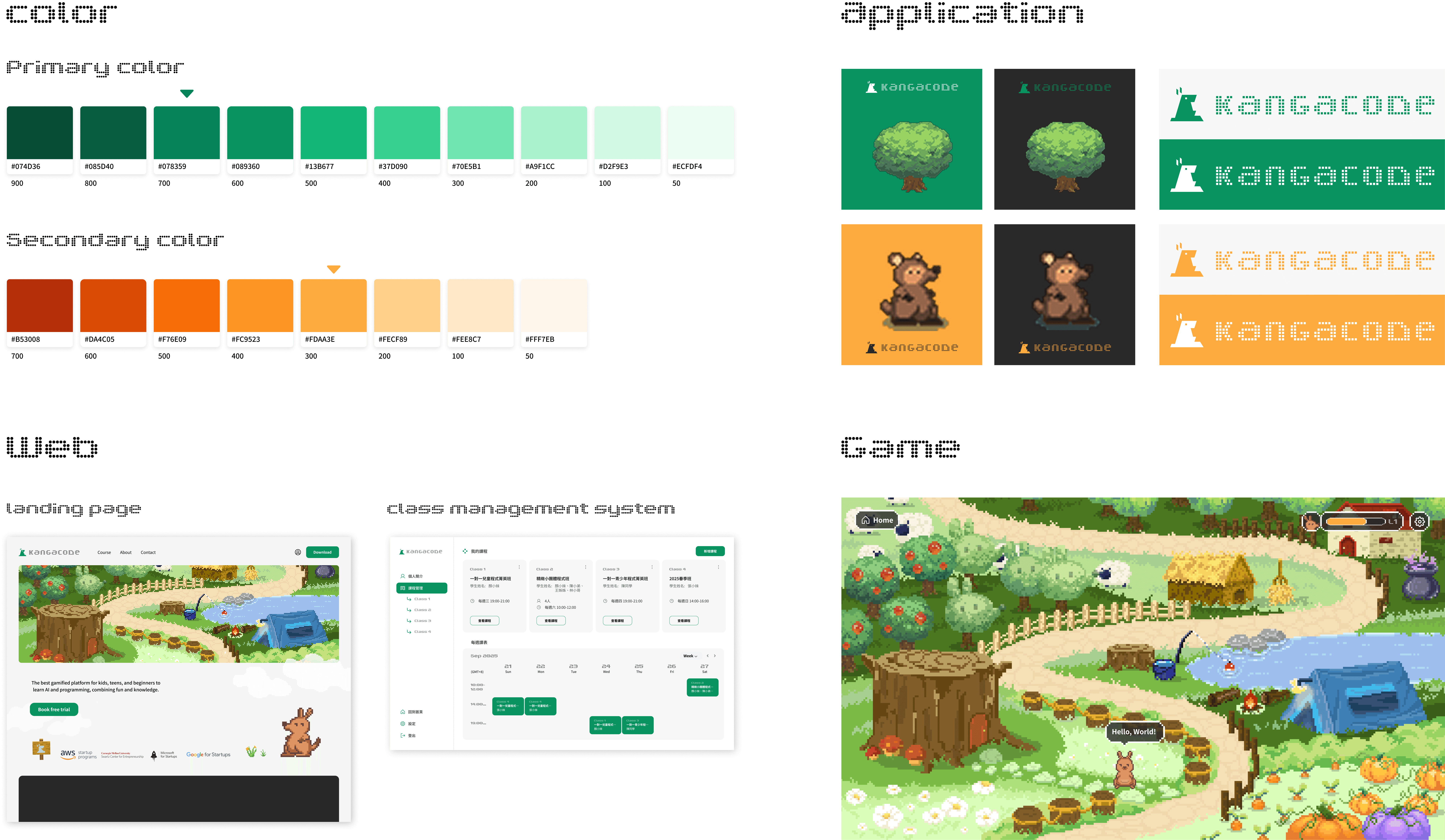
Redesign the visual identity from a plain aesthetic to a brighter and more engaging look, establishing a vibrant brand personality that captures user attention and drives engagement.
✷ Strategic IA Redesign: From Content to Conversion
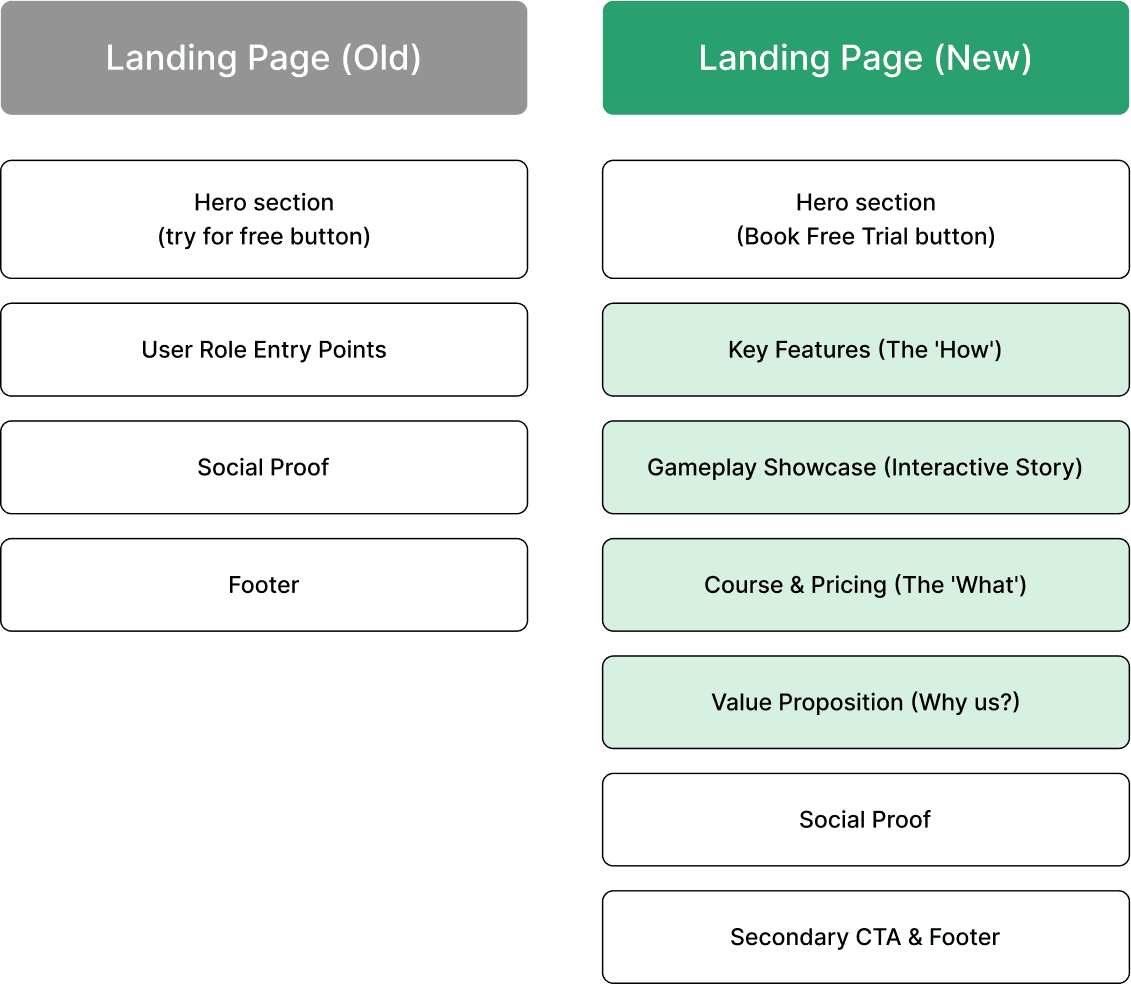
The original website was too simple and didn't show our product's value effectively. I redesigned the information architecture (IA) using the AIDA model (Attention, Interest, Desire, Action) to create a better user journey.
By adding "Key Features" and "Gameplay" sections, I help users understand our product first before they see the pricing. This new flow makes the experience more engaging and helps increase the "Book Free Trial" clicks.

✷ Landing Page Final Design


✷ Final Reveal
✷ Design Impact & Results
6300+
Total users engaged with the new platform during the launch period, proving the strong appeal of the new brand identity.
11.07%
High engagement rate across the main site, with users actively exploring the game-oriented content.
+45.3%
Increase in user interaction on the pricing and course pages, helping parents and teachers make faster decisions.
Class Management System
02
✷ Overview
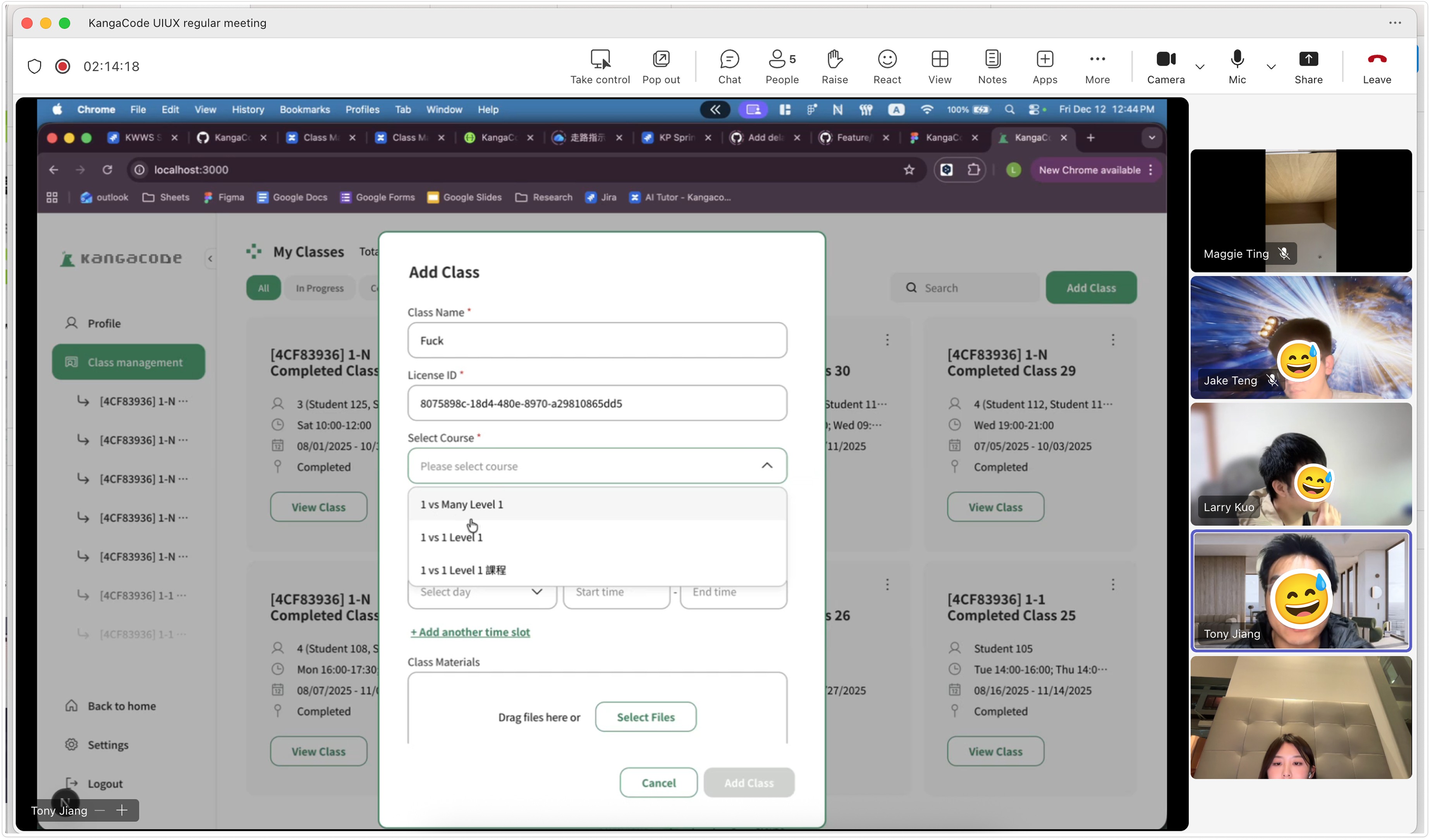
A dedicated educational management platform designed to accompany online courses, enabling teachers to efficiently monitor student progress while providing learners with a personalized dashboard to track their milestones.
✷ Tasks & Challenge
Defined Core System Structure from Ambiguous Requirements
We faced unclear requirements in the early stages and had to define the core system structure from scratch.
Designed role-based dashboards and permissions for different user roles
Translated ambiguous teaching concepts into concrete system features and workflows
01
Defined System Architecture
✷ Context
At the early stage of the project, there was only a preliminary teaching concept, with no clear list of backend features defined.
✷ Action
I analyzed existing learning platforms and, through multiple discussions with the founder and engineers, translated the abstract teaching needs into concrete modules.
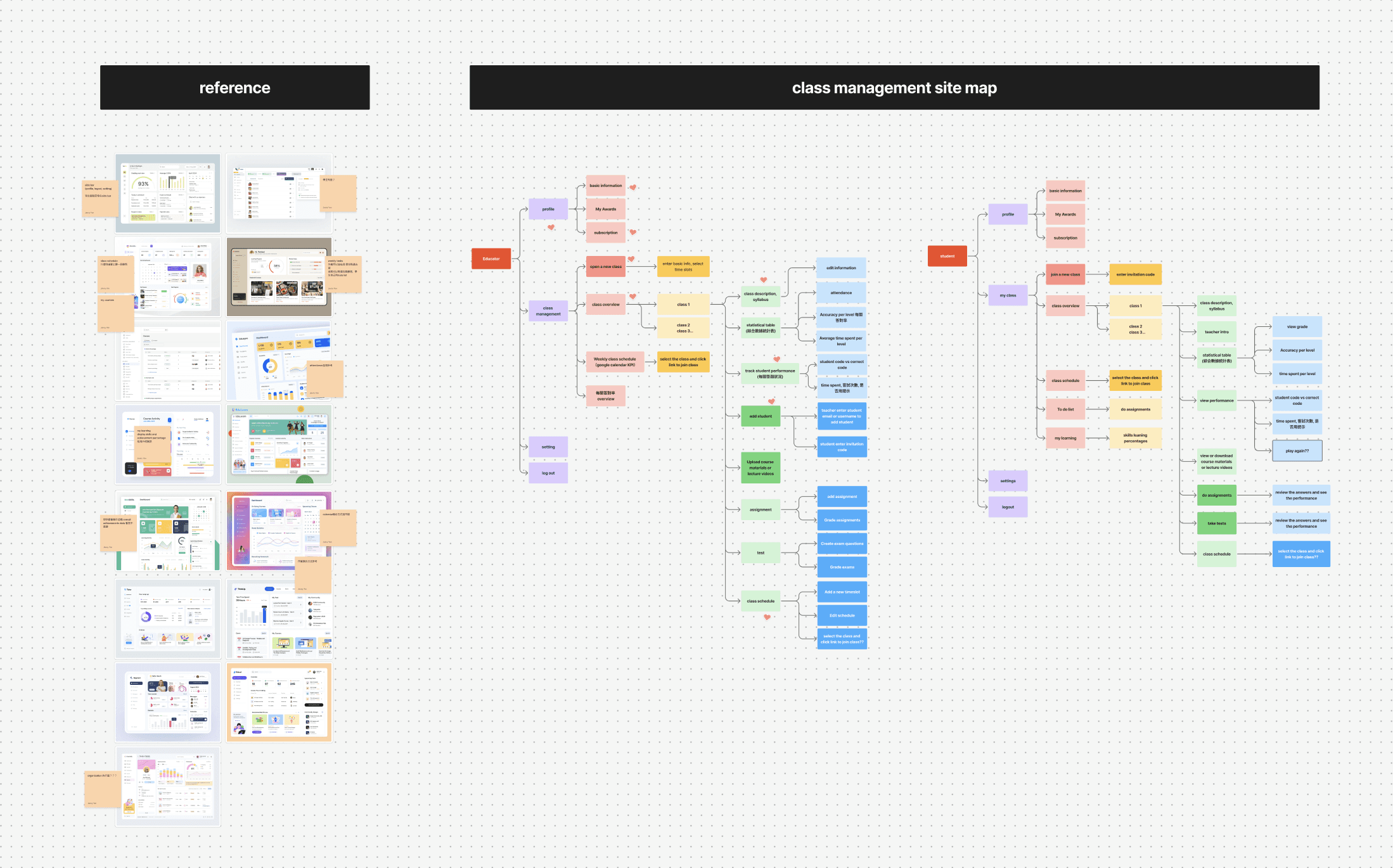
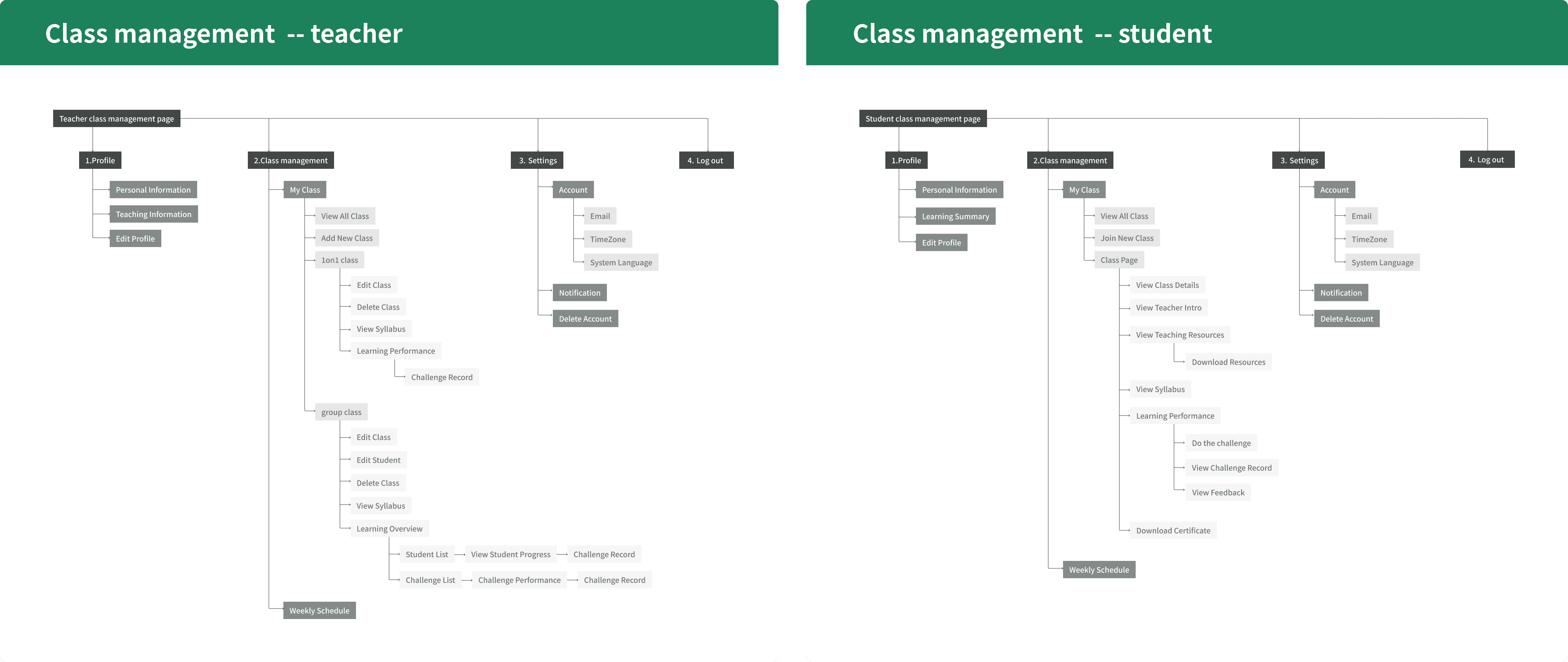
02
Designed role-based dashboards for different user roles
✷ Teacher Side
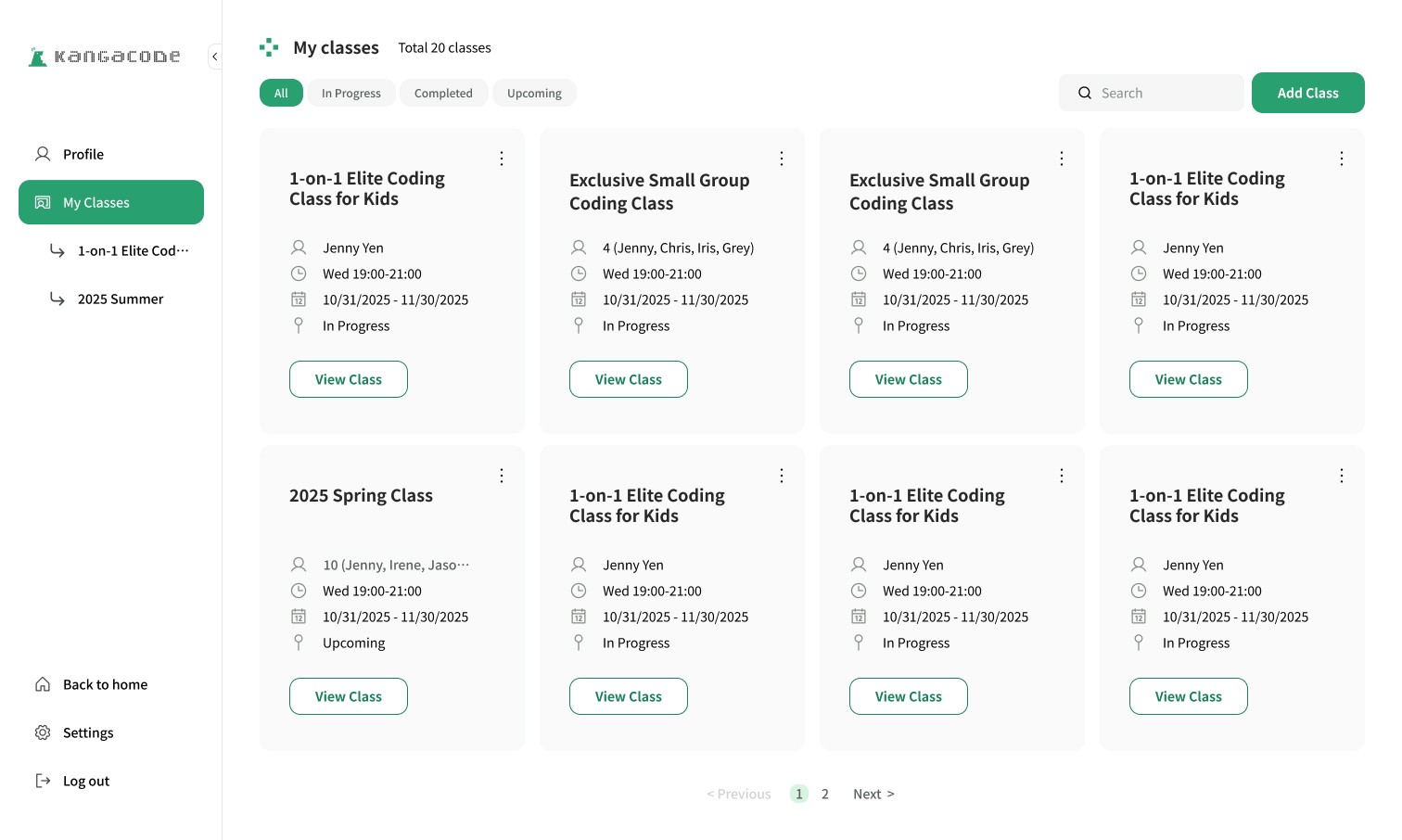
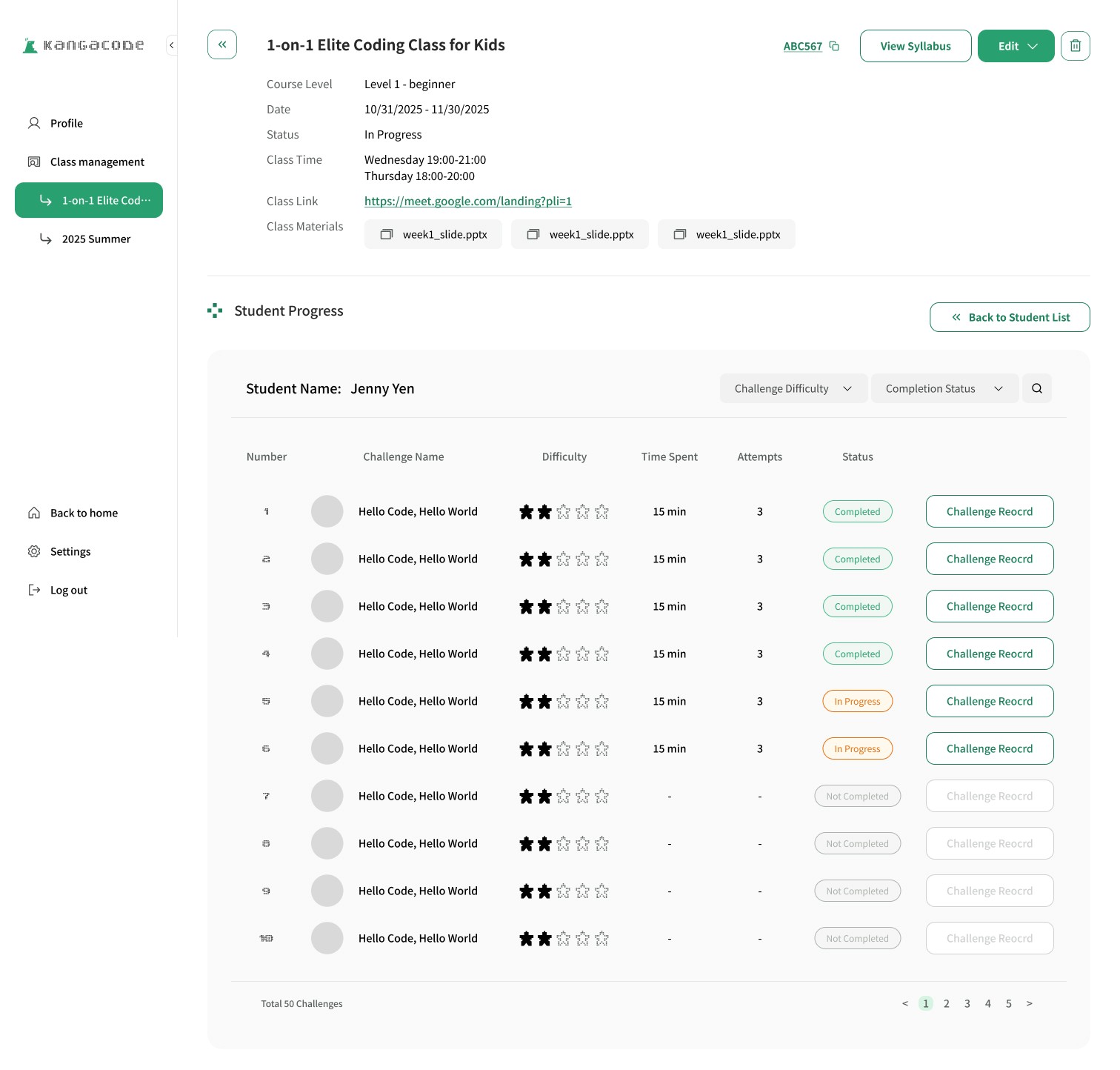
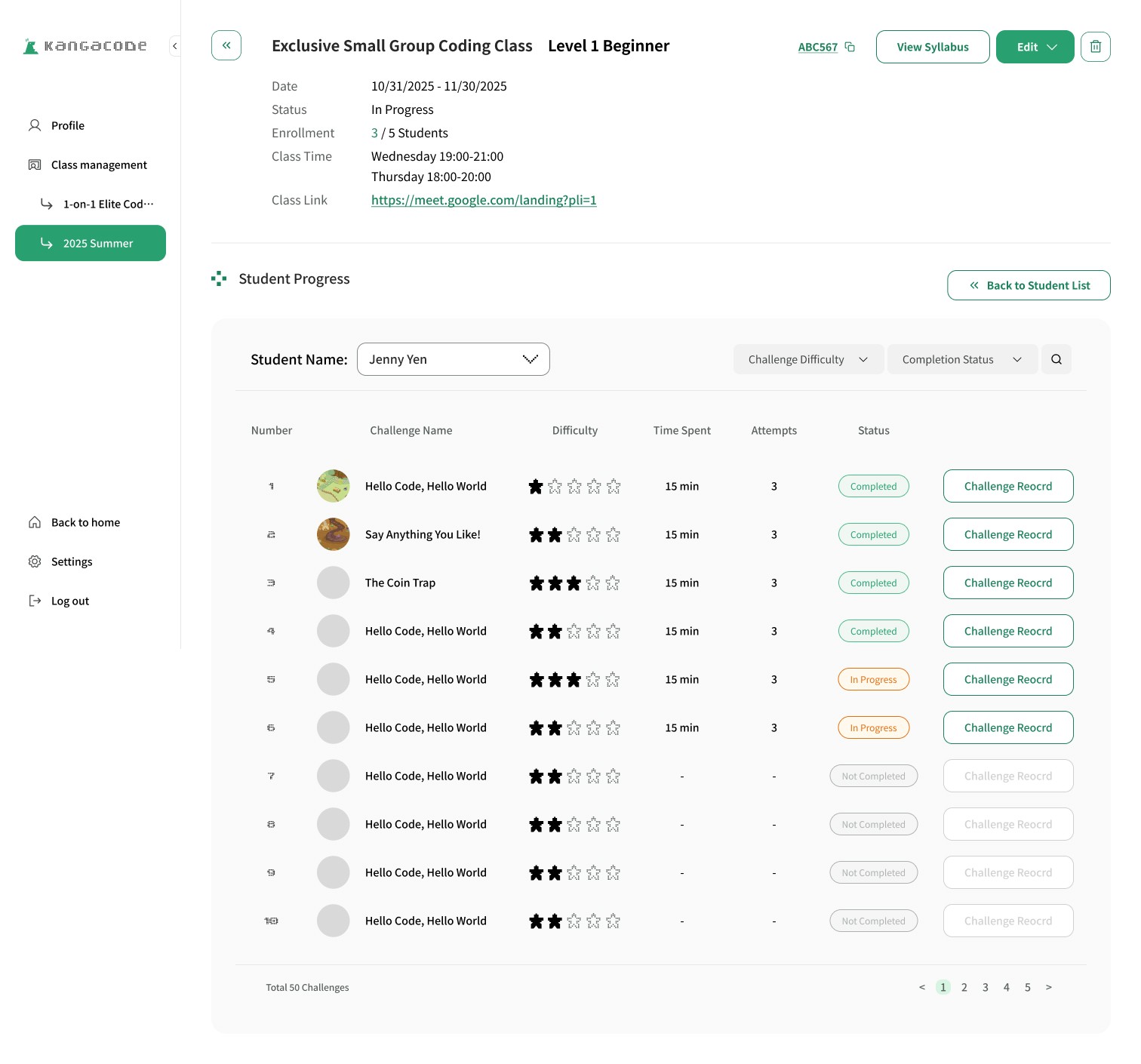
For the teacher-facing platform, I designed pages such as a Class Overview, where teachers can filter and browse all their courses. Within each class page, teachers can toggle between the Student List and Challenge List to quickly locate the content they need. They can also click into individual student performance to review the code each student submitted and leave feedback.
In addition, the platform supports features like adding class materials and creating new courses.
✷ Student Side
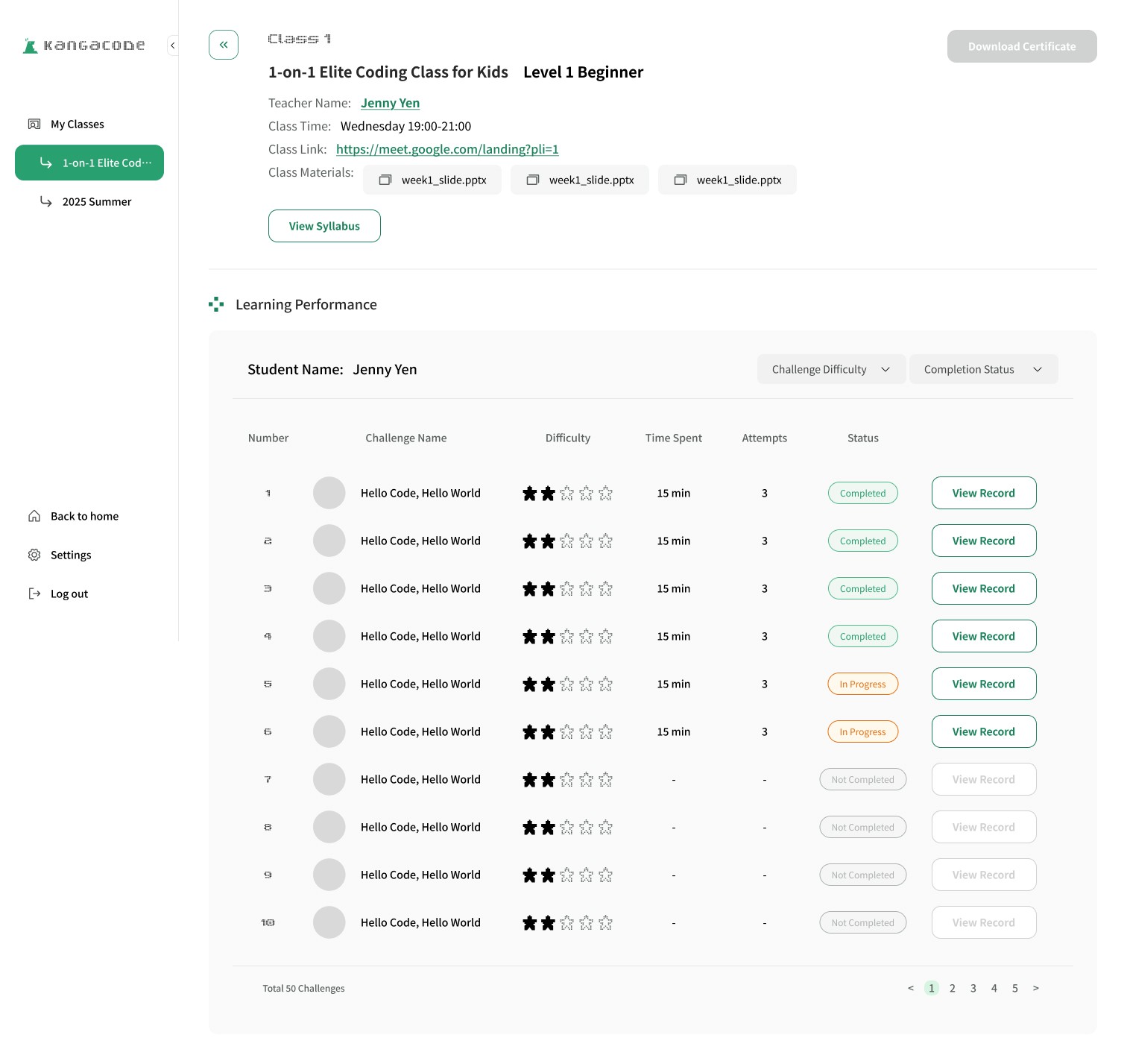
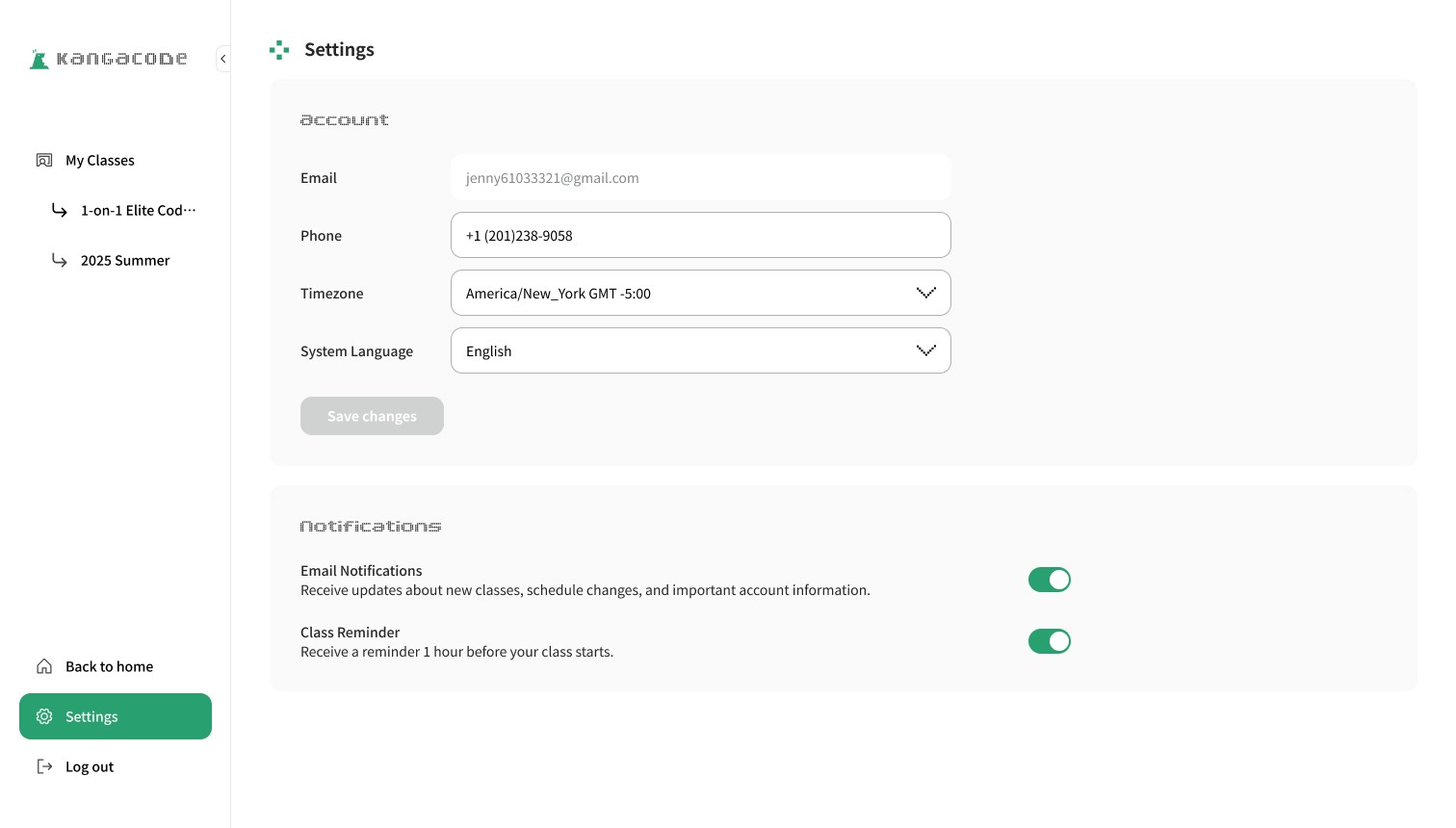
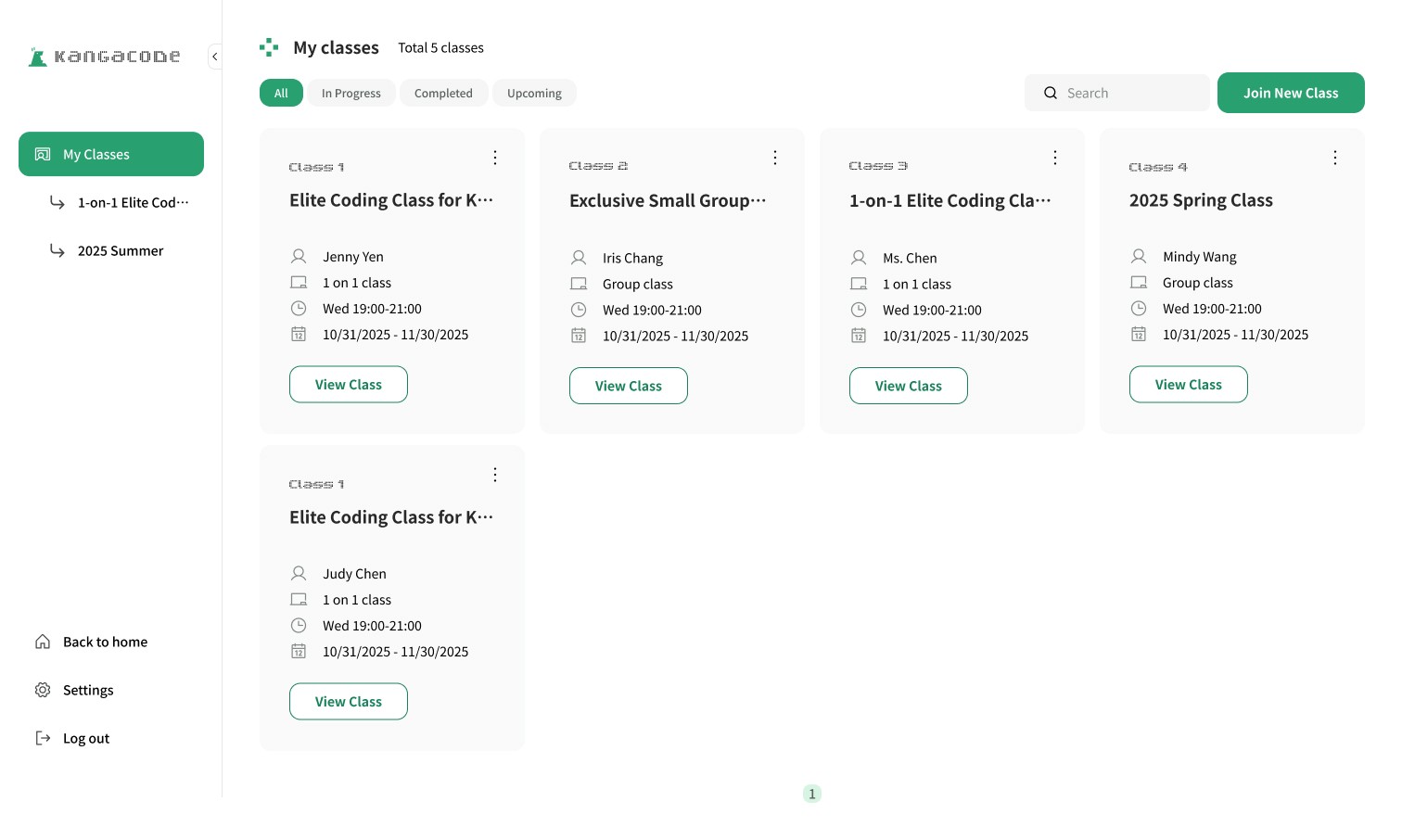
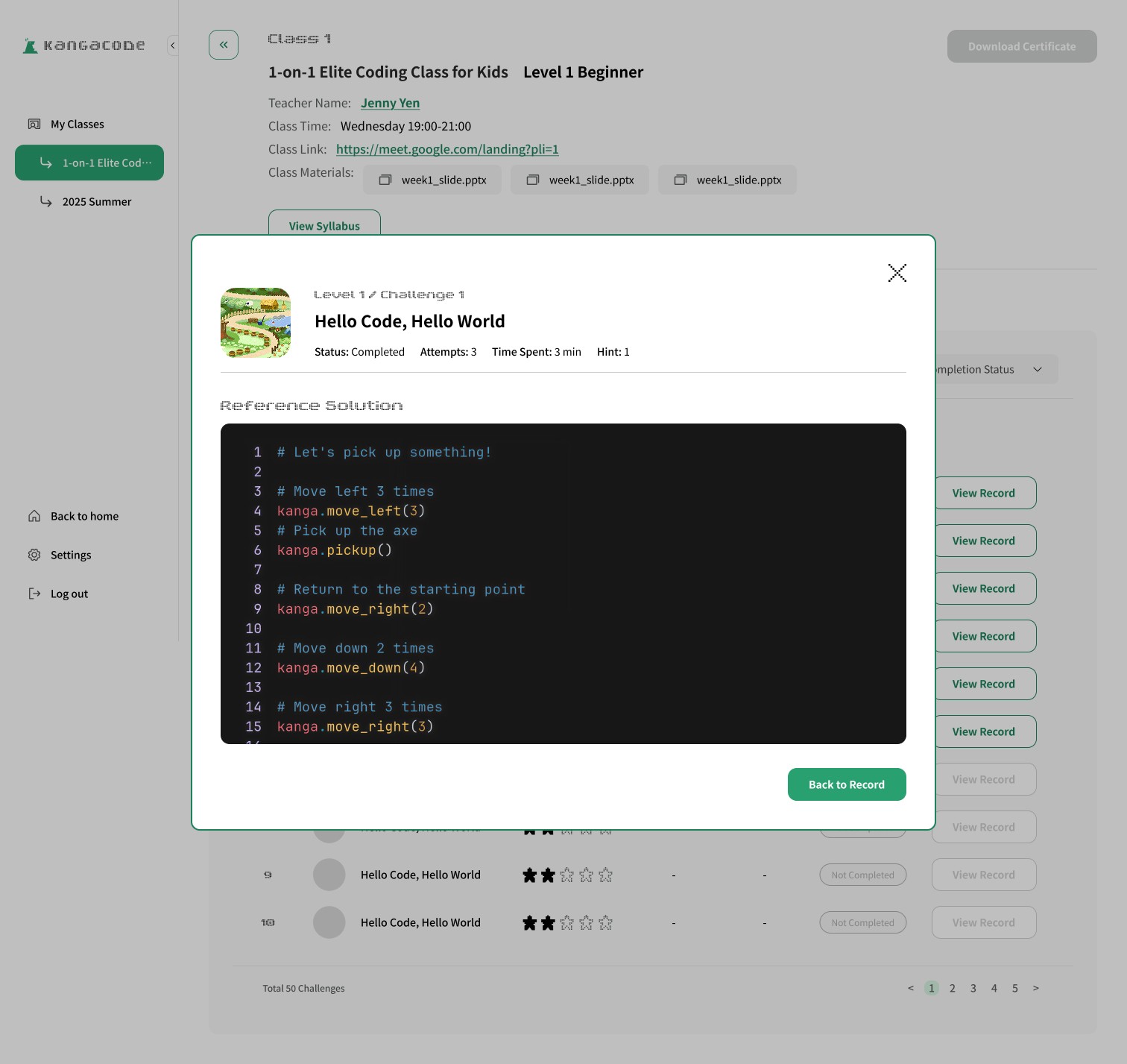
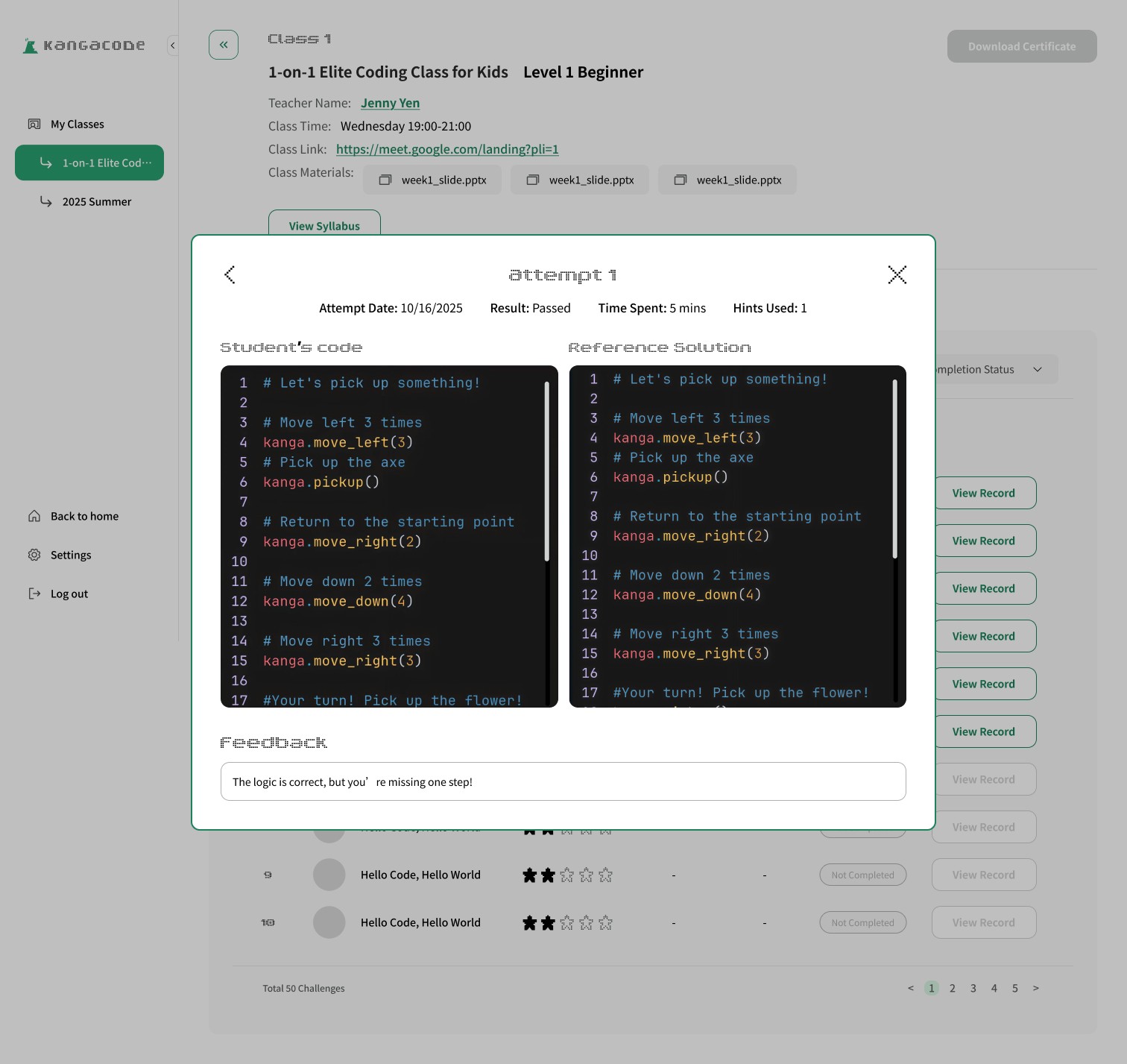
On the student-facing platform, the key focus is enabling students to view class details, review their own submitted code, access the correct answers for each challenge, and download course materials uploaded by the teacher.
✷ Iteration & Trade-off
Original ( 1:1 Class Page )
To reduce user navigation, the page directly displayed the individual student’s performance.
Feedback by users
Teachers felt that the layouts of the one-on-one class and group class were too different, which caused confusion when switching between them. They preferred a higher level of consistency.
Solution
The one-on-one class page was redesigned to align more closely with the group class layout. While this slightly reduced efficiency, it improved consistency and reduced user confusion.
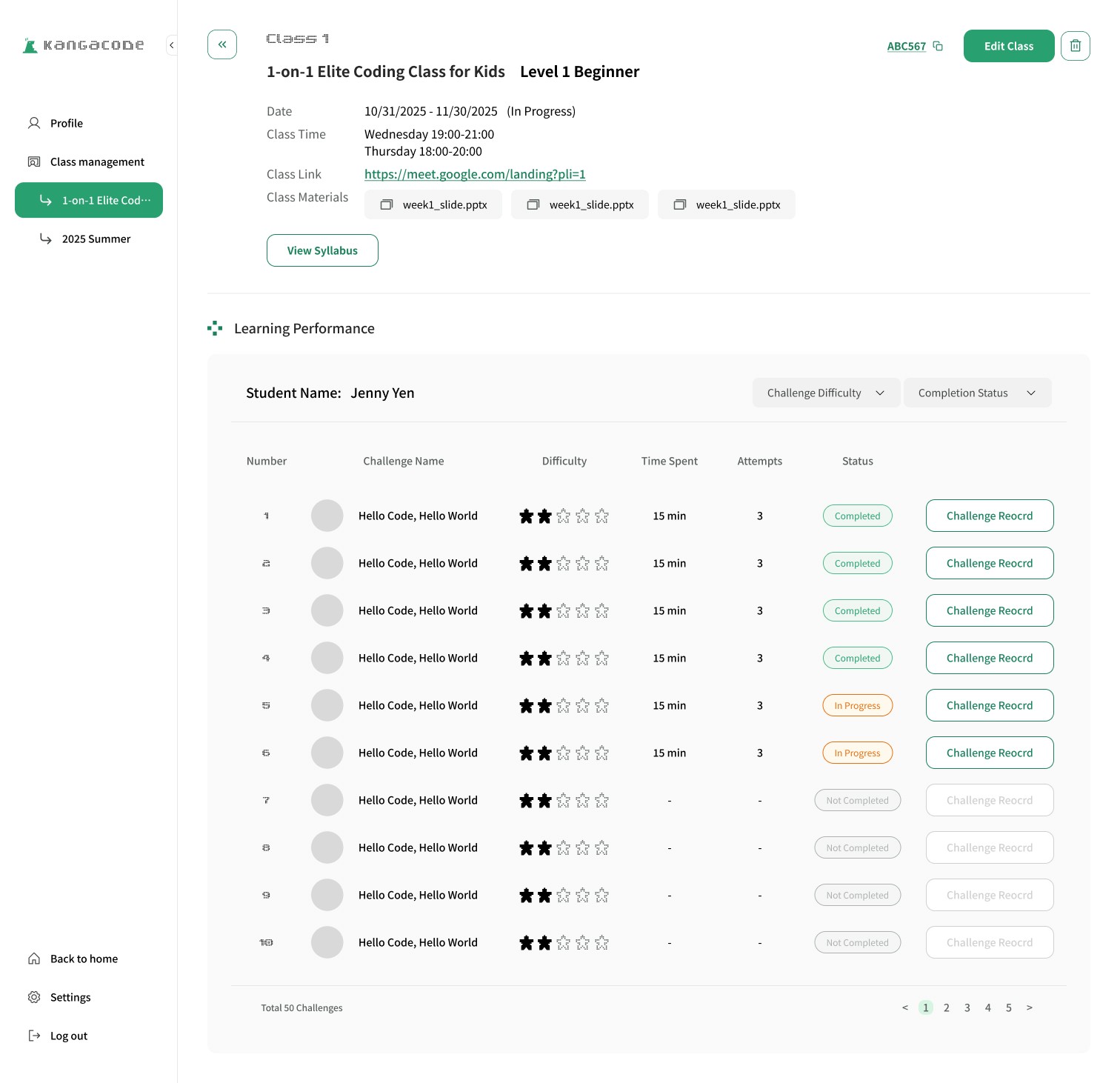
1:1 Class page - Original Version
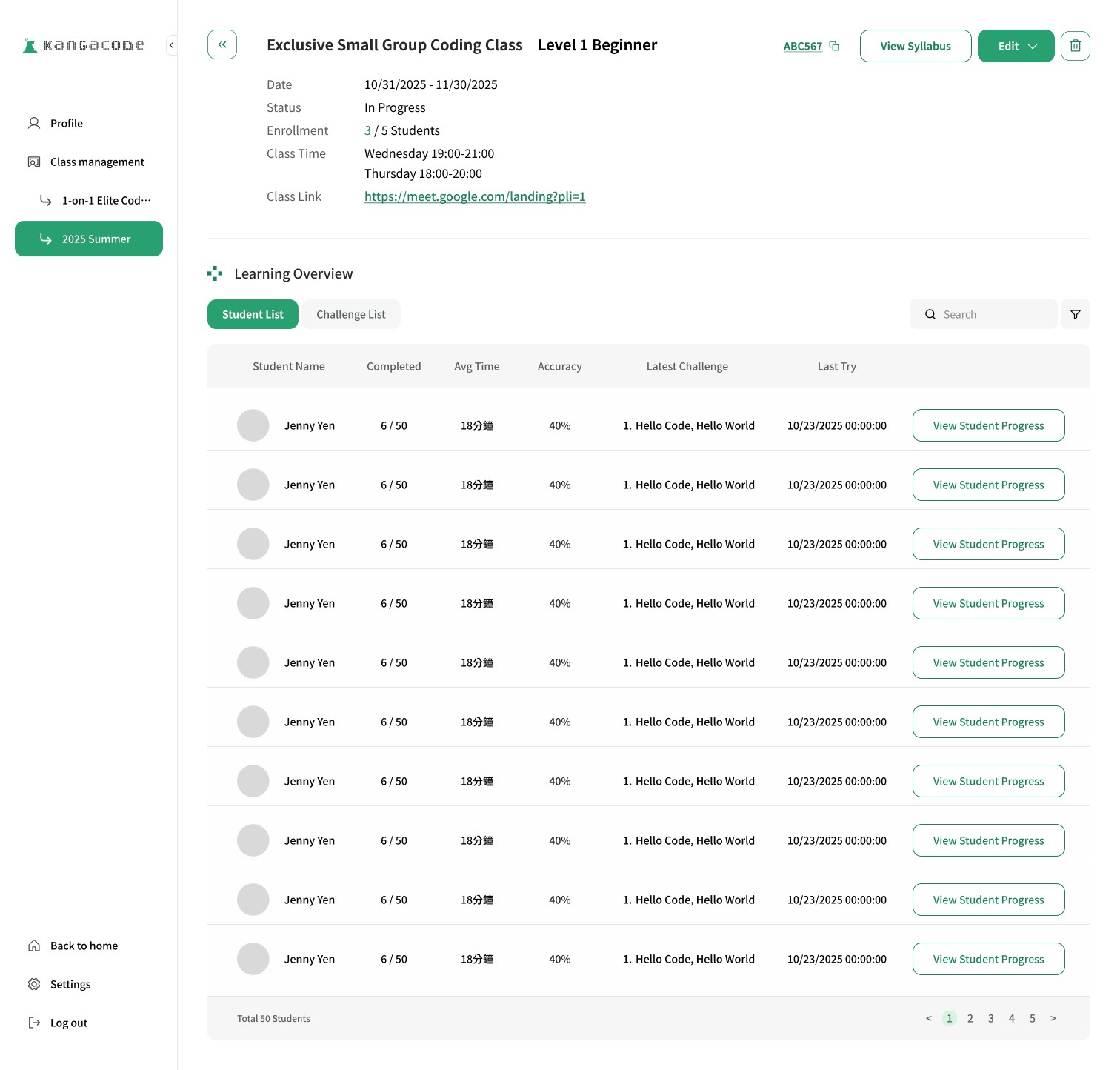
Group Class Page
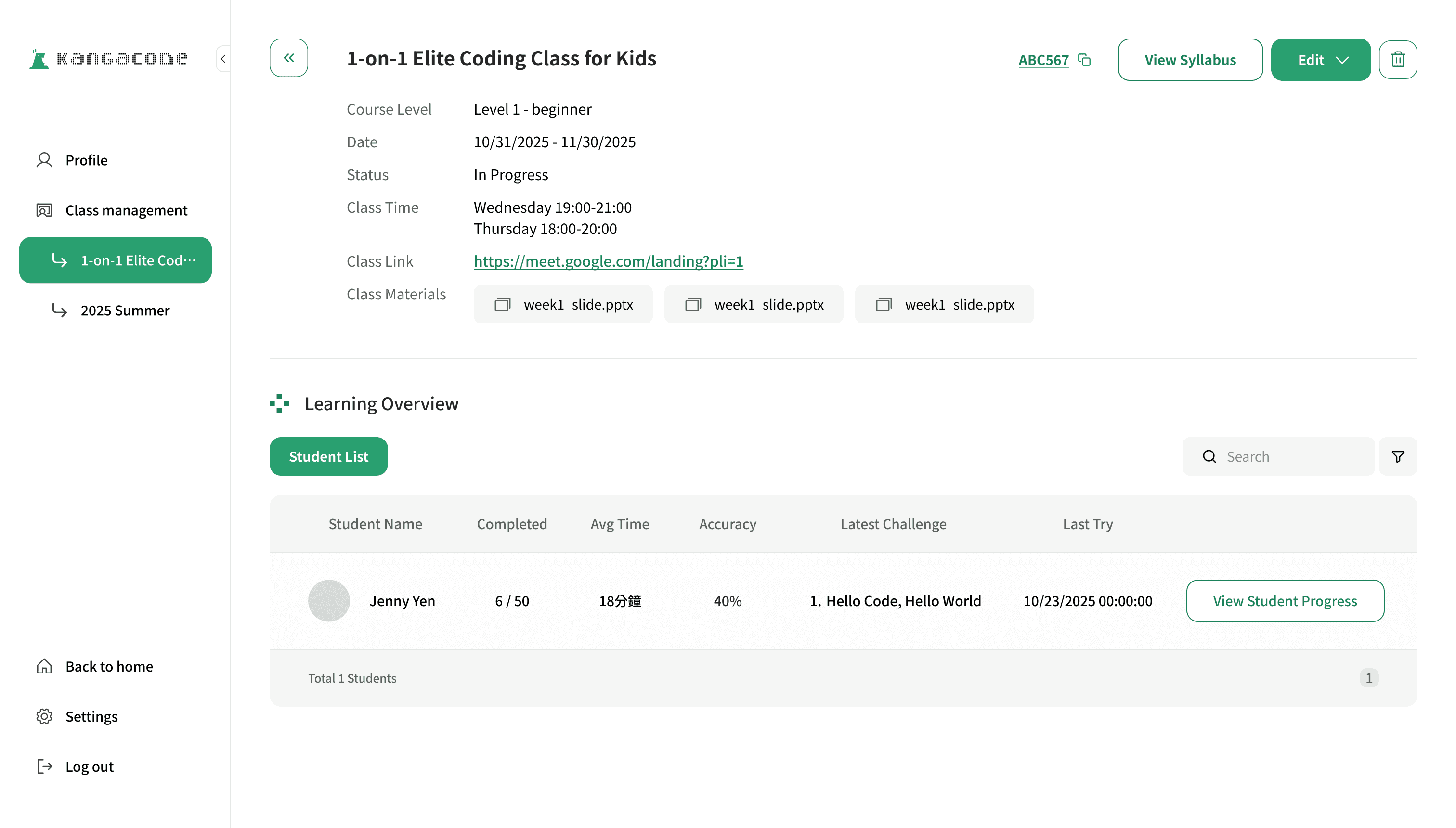
1:1 Class page - Final Version
Design System
03
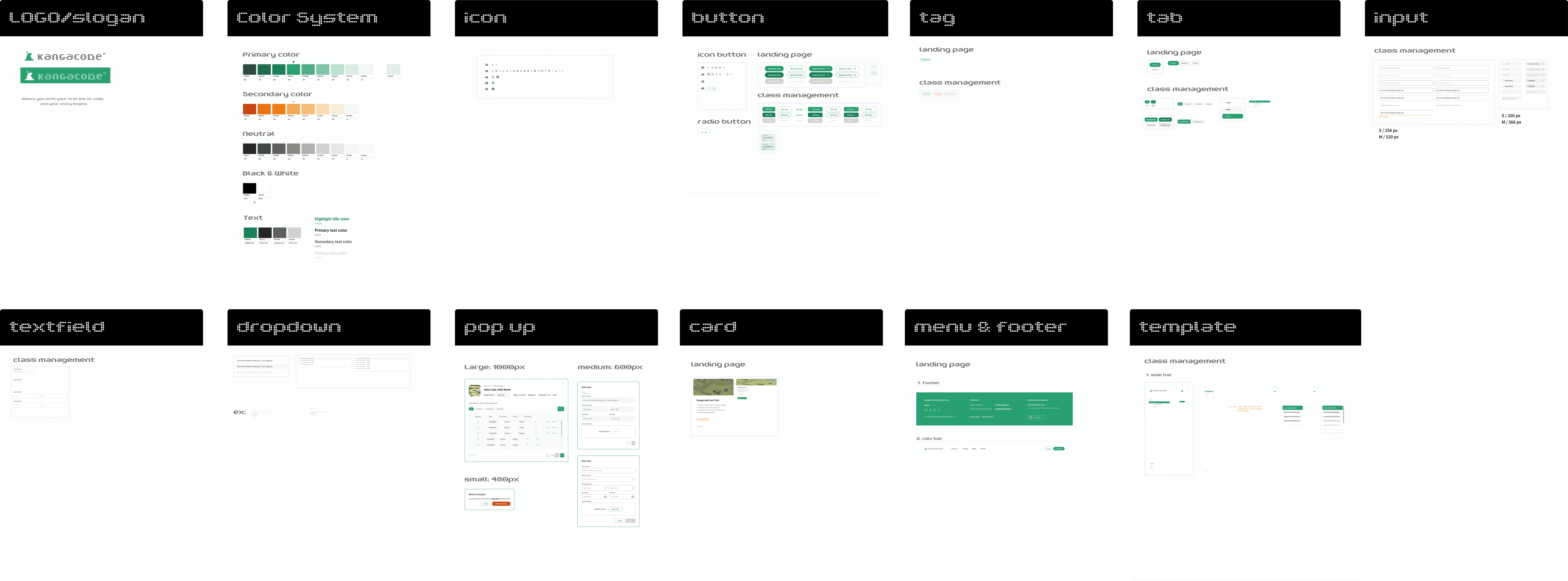
To maintain visual consistency across the marketing website and the class management system, I built a design system to make the design scalable. It serves as a reference for engineers during development, and helps future designers quickly understand how each component is used and its different states.
Takeaway
04
This was my first experience being the sole designer at a company. Although the workload was heavy, I learned a tremendous amount — from collaborating and communicating with the founder and engineers, to seeing the final product come to life. It was incredibly rewarding to watch everything come together into something real and functional.